
AI Photo Video Generator: IRMO
MOBIVERSITE YAZILIM BILISIM REKLAM VE DANISMANLIKArt & Design
4.5607.00 Reviews
- Version
- 1.2.37
- Installs
- 500.00K
- Age Rating
- Everyone
Screenshots
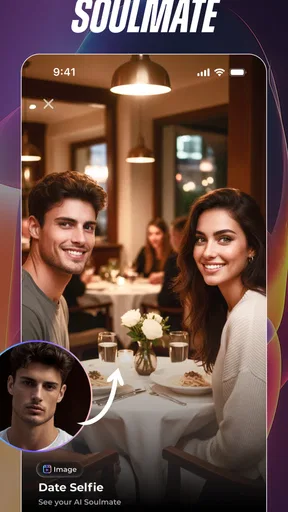
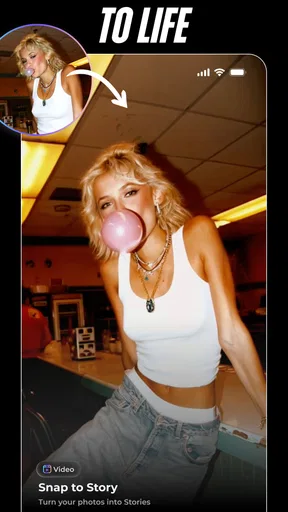
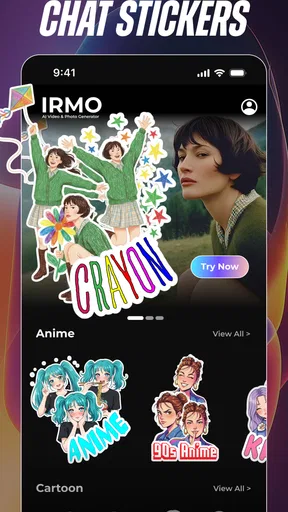

Our Review of AI Photo Video Generator: IRMO
 Analysis by Appyee
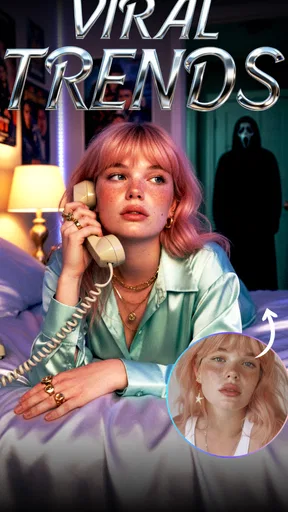
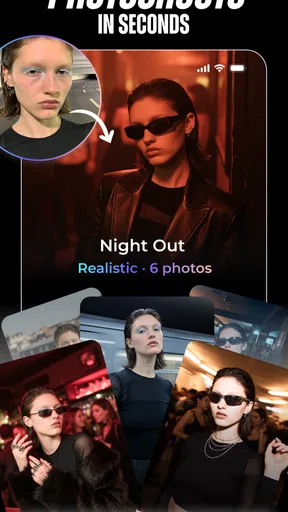
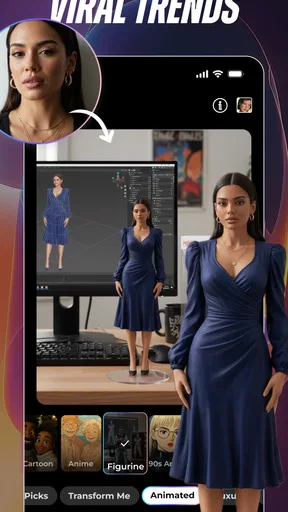
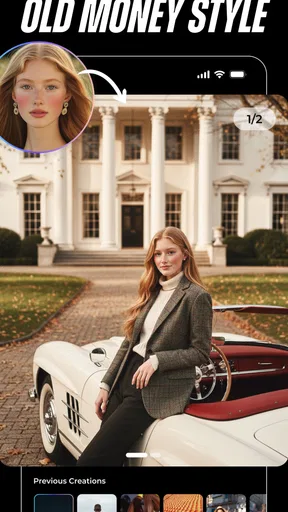
I tried AI Photo Video Generator: IRMO as a creative tool for turning ordinary photos and ideas into more stylized visual content, and I can see why it appeals to people who want quick results without learning a full editing suite. It sits in the art and design space, but it feels aimed at everyday experimentation rather than professional production. The main attraction is the combination of AI video creation, trend-focused photo treatments, character avatars, short viral-style clips, and art filters in one place.
That mix makes it especially interesting on a shared household device. One person might use it to make a playful avatar, another could turn a holiday photo into a short clip, while someone else may simply want to test a visual effect before posting it. In my experience, the app is most enjoyable when I treat it as a fast idea generator rather than a precise replacement for a desktop editor. It helps me get from a photo to something shareable quickly, although the creative result still depends heavily on the source image and on how much control I expect.
How IRMO fits into everyday creative use
The app is developed by MOBIVERSITE YAZILIM BILISIM REKLAM VE DANISMANLIK and is available free of charge, with optional in-app purchases ranging from $2.99 to $79.99 per item. That pricing structure matters because the free starting point makes casual testing easy, but anyone using it regularly should pay attention before selecting paid creative options. I would not install it expecting every effect or generation path to remain unrestricted simply because the initial download costs nothing.
My first useful test was a normal household scenario: a family member had a group photo that looked fine but felt too static for a social post. Instead of opening a conventional editor, I used the image as a starting point for a more animated treatment. The appeal was not perfect control over every frame. It was the speed of seeing several possible directions without spending time learning timelines, masks, keyframes, or complicated export settings.
That workflow is where the app makes the strongest case for itself. Traditional photo editors are better when I need exact cropping, careful retouching, layered composition, or consistent brand colors. Dedicated video editors are better when I need to arrange clips, control timing, add narration, and revise a sequence repeatedly. IRMO is more useful at the moment before those tasks: when I have a photo or concept and want to discover a visual style quickly.
I also found that the different creative areas serve different moods. Character avatars are suited to profile images and playful identity experiments. Trend-oriented photo effects are better when I want a familiar social-media look without manually rebuilding it. Art filters are useful for quick variations, while AI video generation and short clip tools are more appropriate when a still image feels too limited. The app is not one single workflow; it is a collection of fast creative doors.
What to prepare before sharing the device
On a phone used by several people, I would establish a simple boundary before anyone starts creating. Decide whose photos are appropriate to use, where finished images may be shared, and who is responsible for checking a result before it leaves the device. This is not because the app is difficult to operate. It is because AI-style transformations can make a familiar image look very different from the original, and a quick tap can turn a private photo into something that feels public.
I recommend keeping original photos separate from edited results. If several people use the same gallery, saving transformed versions alongside personal originals can make later sorting confusing. A household folder for experiments, or a clear naming habit, prevents a child’s avatar tests from being mixed with important family pictures. This small organizational step is more valuable than it sounds, especially when the app is used repeatedly for trend effects and short clips.
It is also worth agreeing on a review step before posting. I look at the final image for awkward facial details, strange background changes, or an effect that communicates something different from what I intended. AI-driven visual tools can produce an attractive result while still introducing an odd hand, expression, object, or proportion. A second person may notice that immediately, particularly when the creator is excited about the novelty of the effect.
For a shared device, I would avoid treating the app as a private journal. The creative output may be personal, but the device itself may not be. Keep that distinction in mind when choosing images, names, and subjects. If someone needs a strictly private creative workspace, a separate device or account arrangement is a better solution than assuming a shared phone will preserve personal boundaries automatically.
Coordinating creative projects at home
IRMO works well for small collaborative projects when everyone agrees on the purpose first. For example, one person can choose the source photo, another can suggest a visual direction, and a third can decide whether the result is suitable for sharing. This division keeps the app from becoming a stream of random generations and gives each person a useful role without requiring advanced editing experience.
A practical approach is to create a small set of source images rather than repeatedly using the same picture. A clear portrait, a full-body image, and a scene with a simple background can produce very different outcomes. If an effect looks poor, I first change the source image before blaming the tool. Busy backgrounds, low contrast, and unclear subjects often give an AI visual app less to work with. That is a more efficient troubleshooting step than endlessly repeating the same request.
Another helpful habit is to save only the strongest variations. The speed of experimentation can create a crowded gallery, especially when several people share the phone. I prefer to compare results immediately, keep the version with the clearest subject, and remove near-duplicates. This also makes it easier for another household member to understand which image is the approved one.
For a birthday greeting, school-related creative exercise, or casual family announcement, I would use the app at the concept stage. Someone can create a character version of a person, test a colorful art style, or produce a short visual idea, then decide whether the result is good enough to share. If the project needs exact text placement or a polished sequence, I would move the selected result into a more traditional editor afterward. That two-step workflow is more realistic than expecting IRMO to handle every finishing task.
The same principle applies to social posts. I use the app to make a visual hook, but I would still check the crop, readability, and context in the platform where it will appear. A result that looks impressive in a full-screen preview may lose its subject when displayed in a smaller feed. The app can generate the creative starting point; it cannot replace the judgment needed for the final audience.
Age, trust, and sensible household expectations
The content rating is Everyone, which makes the app approachable for a broad audience, but an age label should not replace adult guidance on a shared device. The important questions are practical: whose image is being transformed, whether that person agrees, and whether the finished result could embarrass or misrepresent them. Those questions matter just as much for a harmless cartoon avatar as they do for a dramatic filter.
For younger users, I would keep the first sessions collaborative. Showing how to choose a suitable photo, how to inspect the result, and how to avoid using someone else’s face without permission teaches better habits than simply handing over the phone. I would also make clear that a generated image is an interpretation, not a factual record. That distinction is useful when children are experimenting with family pictures or making playful characters from real people.
Trust also matters between adults. A shared device can contain work images, private family moments, and photos belonging to friends who never agreed to be transformed. I would set a household rule that personal or sensitive pictures require the owner’s permission before they are used. This keeps the creative experience fun without turning convenience into an excuse to cross someone’s boundary.
Because the app includes paid items, I would also discuss purchases before letting another person explore it. The free entry point is convenient, but a child or guest should not be left to interpret purchase prompts alone. On a jointly used phone, the person who owns the payment method should know how creative spending is handled. Even without complicated family arrangements, a clear conversation prevents an enjoyable experiment from becoming an unexpected charge.
My trust in the app is therefore conditional in a sensible way. I trust it as a playful design tool when the household treats images thoughtfully and reviews outputs before sharing. I would not use it as an automatic decision-maker about a person’s appearance, identity, or character. Those judgments belong to people, not to a filter or avatar generator.
Useful techniques beyond the obvious effects
One non-obvious strength is that the app can help me decide what kind of project I actually want to make. I may begin with a portrait thinking I need a static profile image, then discover that a short animated treatment communicates the idea better. Conversely, an exciting video-style effect may reveal that the original image is too weak, leading me back to take a clearer photo. I use the app as a visual sketchbook, not only as a finishing tool.
A second useful technique is to compare effects using the same source image. When household members are choosing a style together, changing the photo and the effect at the same time makes comparison difficult. Holding the image constant shows whether the difference comes from the treatment itself. Once the preferred direction is clear, I can test it on another photo. This simple method reduces random trial and makes group decisions quicker.
A third insight concerns avatars. I would not automatically choose the most dramatic transformation. A recognizable but lightly stylized result is often more useful for a profile image or family group, while a highly altered version works better as a joke or creative character. The right choice depends on whether the image needs to communicate identity or imagination. That distinction helps avoid the common disappointment of receiving a technically interesting avatar that no longer feels like the person it represents.
For short clips, I pay attention to the first moment rather than only the effect itself. A strong source image with a clear subject gives the viewer an immediate point of focus. If the image is cluttered, the motion may become a distraction. I therefore choose a simple starting frame and keep the intended audience in mind. A clip made for close friends can be playful and strange; one intended for a wider audience benefits from a clearer visual idea.
I also recommend treating generated results as drafts when accuracy matters. If the image includes recognizable people, clothing details, signs, or objects that carry meaning, inspect them closely. Artistic transformation can be welcome, but unintended changes can make the result misleading. This is another reason I would not use the app for official images, precise product presentation, or anything where visual fidelity is more important than style.
Where the free model and paid choices fit
The free price makes IRMO easy to approach for occasional use. I can test the general experience, see whether its visual language suits my taste, and decide whether it belongs in my regular creative routine. That is a better reason to try it than assuming the app will replace every other tool I use.
The optional purchases require more deliberate judgment. I would pay only when a particular effect or workflow solves a real need, not simply because a preview looks exciting. Before confirming anything, I would check what the purchase unlocks and whether it is useful for the kind of images my household actually creates. A person who experiments once a month may find the free experience sufficient, while a frequent creator may value access to more advanced options.
There is also a practical trade-off between convenience and control. Paying for a faster or broader creative path may save time, but it does not guarantee that every result will be suitable. The source image, the chosen style, and the final review still determine quality. I would never treat a paid option as a substitute for checking faces, backgrounds, composition, or privacy before sharing.
On a shared phone, purchases should be separated from creative permission. Someone can be allowed to make drafts without being authorized to buy anything. That distinction is easy to explain and keeps the app welcoming for guests or younger family members while preserving control over spending.
Compatibility, maturity, and daily practicality
The app was released on October 14, 2022, and the current version is 1.2.37. It requires Android 7.0 or later, so anyone considering an older household phone should check the device before planning a shared creative station. On a compatible phone, I would still leave enough storage for original photos and generated results, because repeated visual experiments can accumulate quickly even when each individual file seems small.
Its audience size suggests that this is not an obscure experiment: it has passed 500 thousand installs, with an average rating of 4.5 from around 19 thousand ratings and 607 written reviews. Those figures give me confidence that many people find the concept worthwhile, but they do not remove the need to judge it against my own expectations. A popular creative app can still be the wrong fit for someone who needs detailed manual editing or predictable professional output.
The app is best suited to Android users who want quick visual play, social-ready ideas, and accessible experimentation. I would recommend it to a household that enjoys making avatars, trying unusual photo treatments, or turning ordinary pictures into short creative clips. I would skip it in favor of a conventional editor if my priority were accurate retouching, multi-track video work, typography, color grading, or repeatable design templates.
I would also be cautious about using it for a coordinated team project that needs consistent results across many images. AI effects can be visually engaging without being perfectly uniform. If a business, club, or school group needs every portrait to share the same framing and treatment, a template-based editor may be more dependable. IRMO is stronger for exploration than for strict visual standardization.
My household verdict after using it
For me, the best way to understand this app is as a quick creative companion for a shared phone, not as a complete studio. It lowers the effort needed to try an avatar, an art filter, a trend-inspired photo, or a short AI video idea. That makes it easy to involve different people in a small household project, provided everyone agrees on which photos may be used and who checks the result before it is shared.
The main friction comes from the same speed that makes it appealing. Fast transformations encourage repeated testing, which can clutter a shared gallery, blur the line between a draft and a final image, and make purchase prompts more important to discuss. Results can also be less predictable than those from a manual editor, so I would not skip a visual and privacy check simply because the effect looks entertaining.
Overall, I would recommend it to friends who want accessible visual experiments rather than technical control. Start with a clear, non-sensitive photo, compare a few styles using the same source, save only the strongest result, and decide together whether it is appropriate to share. If that sounds like the kind of creative process you enjoy, AI Photo Video Generator: IRMO is a worthwhile free starting point. If you need precision, consistency, or a private professional workflow, a dedicated photo or video editor will serve you better.
My final advice is to keep expectations realistic: use the app for ideas, playful transformations, and quick household projects, then bring the best result into another tool when the final presentation needs more control. With that boundary in place, it offers a friendly way to make everyday photos feel new without asking everyone in the home to become an editor first.
Verdict
Strengths of AI Photo Video Generator: IRMO
- Turns text prompts into creative images and short videos quickly.
- Offers multiple AI styles for portraits, art, and social media content.
- Includes ready-made templates that simplify editing for beginners.
- Useful enhancement tools can improve lighting, sharpness, and image quality.
- Makes it easy to save and share creations on social platforms.
Limitations of AI Photo Video Generator: IRMO
- Generated results may contain distorted faces, hands, or small details.
- Video generation can take longer when servers are busy.
- Some advanced styles and features require a paid subscription.
- Results may differ noticeably from the original prompt or reference image.
- The app may require an internet connection for most AI tools.
Other Releases by MOBIVERSITE YAZILIM BILISIM REKLAM VE DANISMANLIK
View All
Donna AI Song & Music Maker
Music & Audio4.7

KAI: Comic Maker Manga, Manhwa
Comics3.8

Landscape Design - AI Garden
House & Home4.4
Similar Picks in This Category
View All
Canva: AI Photo & Video Editor
Canva4.8

PENUP – Drawing-sharing SNS
Samsung Electronics Co., Ltd.4.5

Crafto
Kutumb App4.6

Sketchbook
Sketchbook4.1

ibis Paint X
ibis inc.4.5

Adobe Express: AI Photo, Video
Adobe4.6
Frequently Asked Questions
What is AI Photo Video Generator: IRMO?
AI Photo Video Generator: IRMO is a mobile creative app designed to turn photos and text ideas into AI-generated images and short videos. It typically offers templates, visual effects, image animation, portrait tools, and style transformations. The app is aimed at casual creators who want to produce social-media content without advanced editing skills, although the exact tools and results may vary by device, region, and app version.
How does IRMO create AI photos and videos?
IRMO generally works by allowing you to upload an image, select an AI effect or template, and sometimes enter a text prompt describing the desired result. The app then processes the request online and generates an edited image or animated video. Processing speed depends on your internet connection, server availability, and the complexity of the selected effect. Some features may require credits, subscriptions, or watching advertisements.
Is AI Photo Video Generator: IRMO free to download and use?
The app may be free to download, but free access does not necessarily include every feature. In practice, users may encounter advertisements, limited daily generations, watermarks, restricted templates, or credit-based processing. Premium tools and higher usage limits can require an in-app purchase or subscription. Before confirming payment, check the current pricing, renewal terms, trial conditions, and cancellation options in the relevant app store.
Can I use IRMO-generated images and videos commercially?
Commercial usage depends on IRMO’s current terms of service, the specific AI model or template used, and the rights associated with any photos, music, characters, or other assets included in your project. You should only upload content you own or have permission to use, and you should review the app’s licensing rules before using generated material in advertising, business accounts, or paid projects. AI output may also require additional legal review.
Is AI Photo Video Generator: IRMO safe for uploading personal photos?
As with any cloud-based AI editing app, uploaded photos may be sent to remote servers for processing. Before using personal, family, confidential, or client images, review IRMO’s privacy policy to understand how files are stored, used, retained, and deleted. Avoid uploading sensitive identification documents or private images unless you are comfortable with the stated practices, and check the permissions requested by the app before granting access.
